When a Nest thermostat not cooling properly leaves your home warm, the thermostat may be the issue, but it is not always the cause. In South Florida, an air conditioner that stops responding to a cooling call can quickly turn from inconvenient to urgent. A few safe checks can rule out simple settings problems. If the system still will not cool, prompt HVAC service can prevent a small issue from becoming a bigger repair.
Start With the Nest Cooling Settings
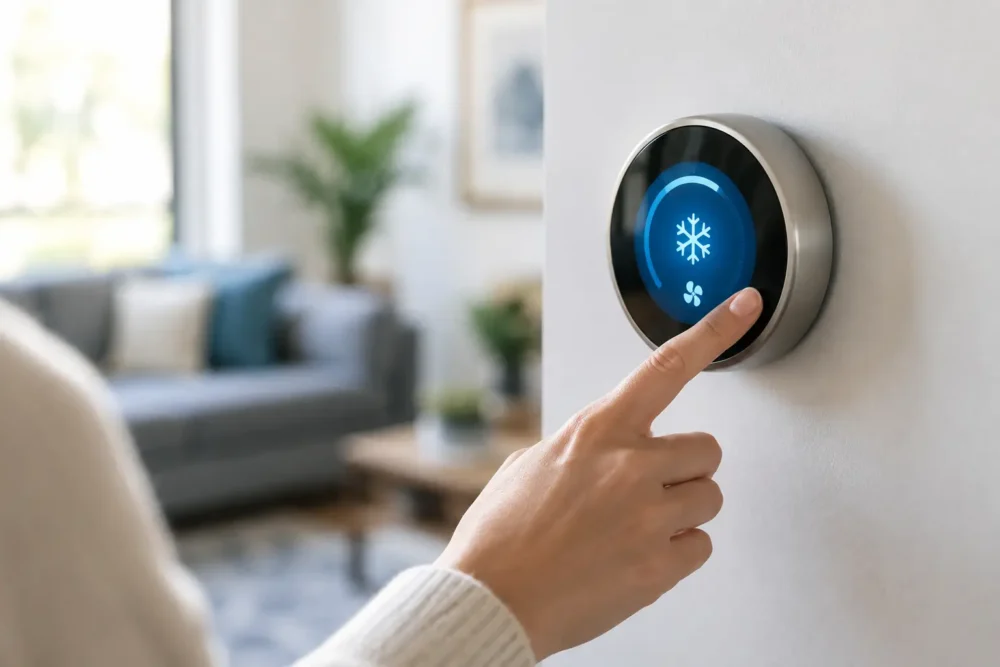
Begin at the thermostat itself. Set the mode to Cool, then lower the temperature at least 3 to 5 degrees below the current indoor temperature. Your Nest should display a message indicating that cooling is starting, often with an estimated time until the set temperature is reached.
If the screen says the system is cooling but you do not hear the indoor unit or feel air from the vents after several minutes, do not assume the Nest has failed. The thermostat is sending a request for cooling. The problem may be at the air handler, outdoor condenser, drain system, electrical panel, or another part of the AC system.
Also check whether a schedule, Eco Temperature setting, or Home/Away routine is overriding your manual adjustment. These features can be useful for energy savings, especially at vacation homes, but they can make it appear that the thermostat is ignoring a temperature change. Temporarily set a simple cooling target and watch how the system responds.
Check the Fan Setting
Set the fan to Auto while troubleshooting. When the fan is set to On, it may continue moving room-temperature air even when the compressor is not running. That airflow can make it seem like the AC is operating, even though it is not producing cold air.
If air is coming from the vents but it feels warm, the issue is more likely with the cooling equipment than with fan operation. A clogged filter, frozen evaporator coil, low refrigerant, failed capacitor, or compressor problem can all cause this symptom.
Confirm the AC System Has Power
Nest thermostats need steady power from the HVAC system. A blank screen, repeated restarting, low-battery message, or thermostat that disconnects from Wi-Fi may point to a power or wiring concern. But even a Nest with a normal display can be affected when part of the AC system has lost power.
Check that the HVAC breakers are fully on. Look for a breaker labeled AC, air handler, furnace, heat pump, or condenser. If a breaker has tripped, move it firmly to the off position before turning it back on once. If it trips again, leave it off and call a licensed HVAC technician. Repeated breaker trips can indicate an electrical fault that should not be ignored.
Outside, make sure the disconnect box near the condenser has not been switched off accidentally. Do not open the electrical compartment or attempt electrical repairs yourself. The outdoor unit contains high-voltage components, and safe diagnosis requires the right training and equipment.
Look at the Air Filter and Airflow
A restricted air filter is one of the most common reasons an AC system struggles to cool. In Florida’s humid climate, a dirty filter can reduce airflow enough to cause the indoor evaporator coil to freeze. Once that coil freezes, the system may blow little air, weak airflow, or air that is no longer cold.
Remove the filter and inspect it in good light. If it is visibly gray, packed with dust, bowed inward, or has been in place longer than recommended, replace it with the correct size and type. Avoid using an overly restrictive filter unless your system is designed for it. Better filtration can help indoor air quality, but a filter that is too dense for the equipment can create airflow problems.
After replacing the filter, make sure supply vents are open and not blocked by furniture, rugs, or drapes. Check that return grilles are clear as well. Your AC needs to pull air back to the system as freely as it pushes cool air into the rooms.
Signs of a Frozen Coil
Turn cooling off and call for service if you see ice on refrigerant lines, water around the indoor unit, or frost inside the air handler. You may also notice the system running for long periods without lowering the temperature.
Do not keep forcing the AC to run while it is frozen. Set the thermostat to Off, or use Fan only if advised by your HVAC professional. The ice must thaw before the underlying issue can be accurately diagnosed. The cause could be a dirty filter, blocked airflow, low refrigerant, a dirty coil, or a mechanical problem.
Check the Condensate Drain Before Resetting Anything
Many Florida AC systems include a float safety switch that shuts down cooling when the condensate drain line backs up. This safety feature helps prevent water damage, but it can leave homeowners wondering why the Nest is calling for cooling while the system will not start.
Look around the indoor air handler for standing water, moisture, or a full drain pan. If you see water, turn the system off and arrange service. A drain blockage may be simple to clear, but recurring clogs can signal algae buildup, improper drainage, or a problem that deserves a closer look.
Avoid pouring chemicals into the drain line or bypassing a float switch. Those shortcuts can damage components or allow water to overflow into ceilings, closets, garages, or other finished areas.
When the Nest Thermostat May Be the Problem
A Nest can contribute to cooling trouble after installation, a power outage, Wi-Fi setup changes, or HVAC modifications. Common thermostat-related concerns include incorrect wire connections, a missing or improperly configured common wire, incompatible equipment settings, and a configuration that identifies the system incorrectly.
If the thermostat was recently installed or moved, wiring is worth checking professionally. A wire that looks connected may not be seated properly, and labeling alone does not confirm that it is connected to the correct terminal at the air handler. Heat pump systems, multi-stage equipment, and systems with accessories require especially careful setup.
A factory reset should not be the first move. Resetting may erase schedules and preferences while doing nothing to correct an equipment problem. If the Nest screen is responsive and indicates cooling, focus first on whether the AC equipment is actually starting and producing cold air.
Know When to Call for AC Repair
Some problems cannot be safely or reliably resolved at the thermostat. Call for professional help promptly if you notice any of the following:
- The outdoor unit will not start, hums loudly, or repeatedly shuts off.
- The AC runs but blows warm air or cannot hold the temperature.
- A breaker trips, you smell burning, or you hear unusual buzzing or grinding.
- There is ice on the refrigerant line, water leaking near the air handler, or a drain pan overflow.
- Your Nest reports cooling, but the equipment does not respond after basic settings and power checks.
For homeowners in Stuart, Jensen Beach, Port St. Lucie, Fort Pierce, Hobe Sound, Hutchinson Island, or Jupiter, waiting through a hot afternoon can place unnecessary strain on both your household and your equipment. A trained technician can determine whether the problem is the Nest, electrical supply, condensate safety switch, airflow, refrigerant charge, or a failing AC component.
Prevent the Same Problem Next Season
The best way to reduce thermostat-related cooling calls is to keep the entire system maintained. Change filters on schedule, keep the outdoor condenser clear of leaves and debris, and arrange preventive AC maintenance before the hottest part of the year. During a maintenance visit, a technician can inspect wiring, test system performance, clean critical components, verify drainage, and catch wear before it causes a breakdown.
Your Nest should make comfort easier, not leave you guessing. If the simple checks do not restore cold air, turn to a qualified local HVAC team rather than risking damage with repeated resets or DIY electrical work. Treasure Coast Air Conditioning has provided dependable service since 1990, with prompt same-day repairs and 24/7 emergency response when your home cannot wait for cooler air.